
Murasu Anjal 12.0.3 Released for Windows and macOS with Important Updates
Release Date: Monday, August 18, 2025
We’re pleased to announce Murasu Anjal 12.0.3, our first public update following the initial 12.0 release in June 2025. This version addresses key issues reported by our early users and introduces several improvements to enhance your Tamil typing experience. We present below what’s new and fixed.
macOS Improvements
- Enhanced Suggestion Navigation: Fixed selection of suggestion candidates from the second page
- Solvan Reader Stability: Resolved hanging issues when pausing text reading midway
- Automatic System Compatibility: Added automatic reconfiguration when macOS is updated
Windows Improvements
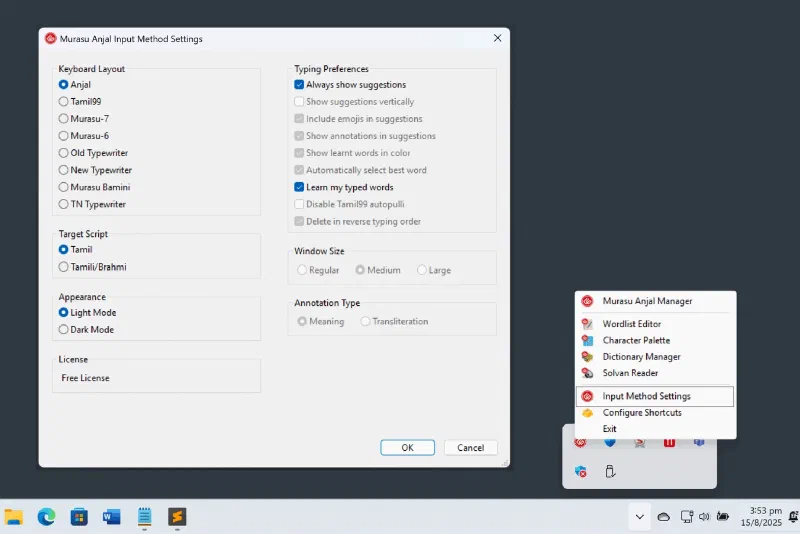
- Streamlined Settings Access: Input method settings can now be invoked directly from the tray icon—no language bar required
- Improved Composition Window: Suggestions window now closes properly when composition is empty
- Keyboard Mapping Fixes:
- Corrected mapping for Typewriter and Bamini keyboards
- Fixed reverse typing order in Old-Typewriter and Bamini keyboards
- Legacy Font Support: Legacy fonts now load correctly when the option is selected in Fonts viewer
- Display Compatibility: Activate button is now visible on low-resolution screens
Cross-Platform Enhancements
- Font Improvements: Enhanced iKara and iiKaara kokki rendering in Kavithai font, plus minor fixes across other fonts
- Dynamic Font Updates: New add-on font download feature enables font updates without requiring a full Murasu Anjal reinstallation
- General Optimisations: Various minor improvements for an enhanced user experience
Installation Instructions
This update is applicable to all user levels: Free, Personal, and Premium. Users can activate the new version using their existing license keys. If you have forgotten your license key, you can request a resend from within the activation window.
Important: Uninstall Required
Users must uninstall the current version before installing 12.0.3. Please follow these steps:
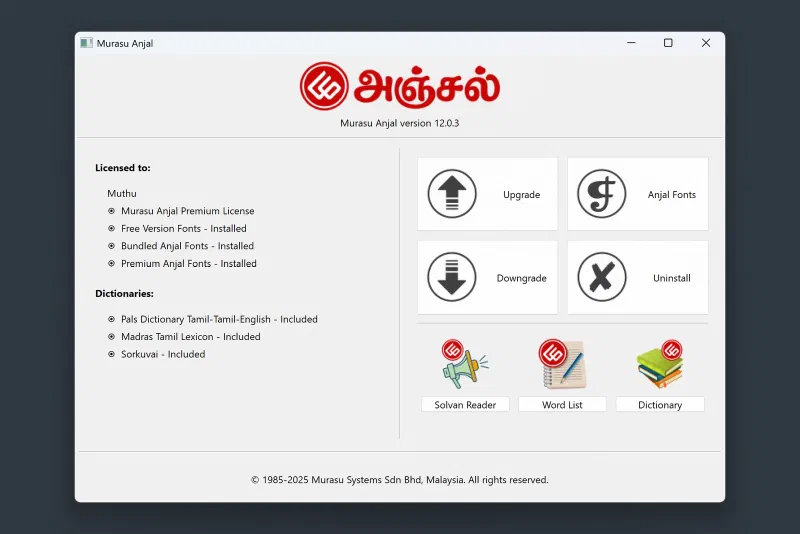
- Open Murasu Anjal Manager and click the “Uninstall” button
- System folders will open automatically:
- macOS: Input methods and applications folders
- Windows: Control panel
- Complete the removal:
- macOS: Delete the Murasu Anjal app and group from both opened folders
- Windows: Double-click the Murasu Anjal icon to remove the application
- Install the new version once removal is complete
Feedback and Support
Thank you to all our users who provided valuable feedback that made this update possible. We encourage you to continue sharing your experiences and suggestions—your input helps us maintain Murasu Anjal as the premier Tamil input method and font solution.
For technical support or to share feedback, please contact our support team.
Get Murasu Anjal 12.0.3 from the downloads page.
—
Murasu Anjal 12.0.3 – Continuing our commitment to excellence in Tamil computing